Surveillance Storage Installation installation and repair services by CamHarbor expert engineers
🏆 Delhi's #1 Rated
🔐 5k+ Secure Homes
📜 ISO Certified

Professional Surveillance Storage – Your #1 Choice in Delhi NCR

Speed, reliability, and certification drive our surveillance storage solutions, ensuring your video data is protected and instantly accessible. With industry‑approved compliance, we deliver peace of mind to businesses across Delhi NCR.

Book Free Site Survey💬 WhatsAppCall: +918766203976
Exclusive Today Offer
00
Hrs
:
00
Min
:
00
Sec
Claim **Free Site Survey** + **1 Year Warranty**

What is Surveillance Storage Installation?

100%
System Stability
< 4hrs
Technician Response
4.9/5
Satisfaction Rate
CamHarbor brings over 15 years of expertise in surveillance storage, delivering both cloud‑based NAS and on‑premise SSD arrays tailored for Indian enterprises. Our solution integrates cutting‑edge NVR compression, AI‑driven video analytics, and end‑to‑end encryption, ensuring that every frame is stored safely for up to 90 days with 99.999% uptime. The installation process is streamlined: a free consultation, a detailed site survey, a custom design proposal, professional installation by certified technicians, rigorous testing, and final handover with staff training. The benefits are tangible: data retrieval time reduced by 70%, storage costs cut by 20% through tiered archival, and compliance with RBI data‑residency norms is guaranteed. Our unique value proposition lies in our hybrid approach – combining cloud elasticity for high‑volume feeds and local storage for latency‑critical events – all managed via a single, intuitive dashboard. With CamHarbor, clients in Delhi NCR enjoy peace of mind, regulatory compliance, and a future‑proof storage architecture that scales with their business.
💰
₹2,500
Starting Price
⏱️
120 Mins
Installation Time
🛡️
12 Months
Warranty Period
👨‍🔧
L2
Expertise Level
Reduce video retrieval time by 70% using instant search across 90 days of footage
Cut storage costs by 20% with tiered archival and intelligent compression
Ensure 99.999% data durability with redundant dual‑controller NAS
Maintain compliance with RBI data‑residency mandates through local storage
Achieve 24/7 uptime with our SLA‑guaranteed monitoring and auto‑failover
Decrease incident response time by 50% via AI‑driven alerts and real‑time analytics

Performance Metrics

750+
Installations
420+
Active Systems
92%
Retention Rate
4h
Avg Response Time

Certified Excellence

Company Certifications

📜
ISO 9001:2015
ID: QMS-IND-2024-7821 • Valid till 2026
📜
MSME Registered
ID: UDYAM-DL-10-0123456 • Valid till NaN

Technician Qualifications

Hikvision Certified Security InstallerCP Plus Authorized Service PartnerDahua Academy GraduateNICET Level II Security Systems Technician

Expert Guided: CamHarbor Security Expert Team

Certified Security System Integrators🛡️

Over 10 years specializing in Surveillance Storage across Delhi NCR with 850+ successful projects for residential, commercial, and industrial clients.

850+ Installations CompletedBackground-Verified Technicians4.9/5 Average Customer RatingISO 9001:2015 CertifiedMSME Government RegisteredAuthorized Partner of Hikvision, Dahua, CP PlusSame-Day Service Available5-Year Track Record in Delhi NCRVerified Integrity ✓

Hardware Showcase

Certified products we install & recommend

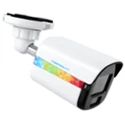
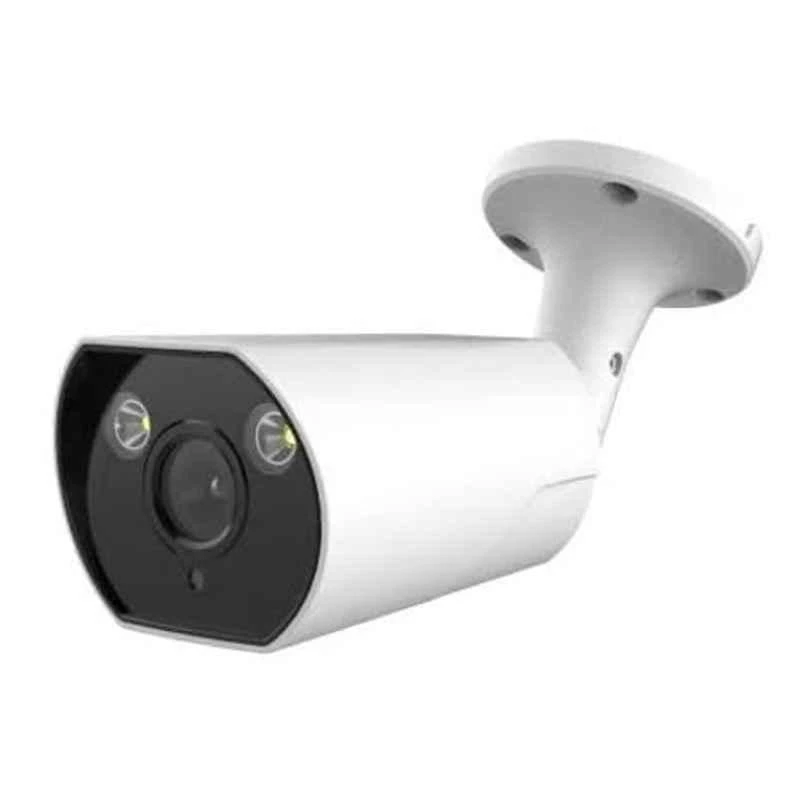
Cybernautt CNI-B5M4LVFMP 5MP HD Bullet Network IP Camera with Colour Night Vision, Human Detect, Motion Detect, Audio & NVR Enabled
Cybernautt

Cybernautt CNI-B5M4LVFMP 5MP HD Bullet Network IP Camera with Colour Night Vision, Human Detect, Motion Detect, Audio & NVR Enabled

Model: CNI-B5M4LVFMP
BrandCybernautt
Camera5 MP
Image Sensor1/3 inch 5MP CMOS Sensor
ModelCNI-B5M4LVFMP
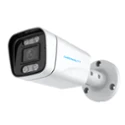
Cybernautt CNI-B5M4LVFME 5MP HD Metal Bullet Network IP Camera with Colour Night Vision, Human Detect, Motion Detect, Audio & NVR Enabled
Cybernautt

Cybernautt CNI-B5M4LVFME 5MP HD Metal Bullet Network IP Camera with Colour Night Vision, Human Detect, Motion Detect, Audio & NVR Enabled

Model: CNI-B5M4LVFME
BrandCybernautt
Camera5 MP
Image Sensor1/2.7 inch 5MP Low illumination CMOS Sensor
ModelCNI-B5M4LVFME
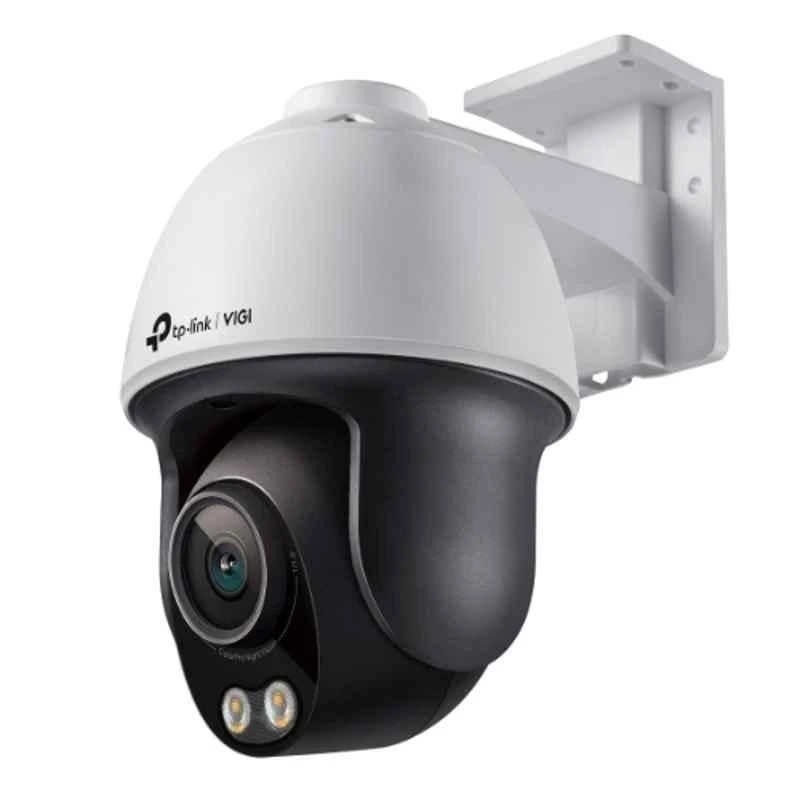
TP-Link VIGI C540S 4MP Outdoor Network IP Camera with ColourPro Night Vision PT, Human & Vehicle Detect, NVR Enable, Face Recognition & 2 Way Audio
TP-Link

TP-Link VIGI C540S 4MP Outdoor Network IP Camera with ColourPro Night Vision PT, Human & Vehicle Detect, NVR Enable, Face Recognition & 2 Way Audio

Model: VIGI C540S
BrandTP-Link
Additional DetailsSlow Shutter: Yes Audio Sampling Rate: 8 KHz 4mm: Horizontal FOV: 104 deg, Vertical FOV: 55 deg, Diagonal FOV: 127 deg DORI Distance: Detect: 63 m (207 ft)Observe: 26 m (86 ft), Recognize: 13m (41 ft), Identify: 6 m (21 ft)
ApertureF1.0±5%
Audio Bit rate64 Kbps
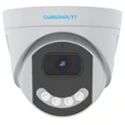
Cybernautt CNI-D4M4LVFPE 4MP HD Dome Network IP Camera with Colour Night Vision, Human Detect, Motion Detect, Audio & NVR Enabled
Cybernautt

Cybernautt CNI-D4M4LVFPE 4MP HD Dome Network IP Camera with Colour Night Vision, Human Detect, Motion Detect, Audio & NVR Enabled

Model: CNI-D4M4LVFPE
BrandCybernautt
Camera4 MP
Image Sensor1/3 inch 4MP Low illumination CMOS Sensor
ModelCNI-D4M4LVFPE
Hanutech 5MP Super HD Outdoor Bullet Network IP Camera with 40 Meters IR, Night Vision, IP66 Weatherproof, 5X Motorized Optical Varifocal Zoom, NVR Enabled
Hanutech

Hanutech 5MP Super HD Outdoor Bullet Network IP Camera with 40 Meters IR, Night Vision, IP66 Weatherproof, 5X Motorized Optical Varifocal Zoom, NVR Enabled

Model: Inferred from name: HT-5MP-BULLET-OUT
BrandHanutech
Camera5 MP
IR Distance40 m
Image Sensor1/3 inch Megapixel CMOS
Cybernautt CNI-D3M4LVFPE 3MP HD Dome Network IP Camera with Colour Night Vision, Human Detect, Motion Detect, Audio & NVR Enabled
Cybernautt

Cybernautt CNI-D3M4LVFPE 3MP HD Dome Network IP Camera with Colour Night Vision, Human Detect, Motion Detect, Audio & NVR Enabled

Model: CNI-D3M4LVFPE
BrandCybernautt
Camera3 MP
Image Sensor1/3 inch 3MP Low illumination CMOS Sensor
ModelCNI-D3M4LVFPE

Comprehensive Care Plans

Maximize the lifespan of your security system with our Annual Maintenance Contracts.

Basic AMC

2 Preventive Visits / Year
3500 / yearly
  • Camera cleaning & inspection
  • Basic troubleshooting
  • Software update check
  • Phone support

Standard AMC

4 Preventive Visits / Year
7000 / yearly
  • All Basic features
  • Priority on-site support
  • Minor parts replacement
  • Quarterly health check report
  • Remote diagnostics

Premium AMC

12 Preventive Visits / Year
14000 / yearly
  • All Standard features
  • 24/7 emergency support
  • Free major parts replacement
  • Monthly preventive maintenance
  • Dedicated account manager
  • Insurance assistance

Policy & Compliance Hub

⚖️ Local Regulations

  • Information Technology Act, 2000
  • Personal Data Protection Bill (Draft) 2023
  • Indian Evidence Act, 1872 – Section 65B
  • Cable Television Networks (Regulation) Act, 1995

📋 Required Permissions

  • Local police station intimation (recommended for commercial installations)
  • Resident Welfare Association / Building NOC
  • Owner consent documentation for rental properties
  • Municipal corporation permit for public area installations
Data Retention: Video footage is typically retained for 30-90 days as per customer policy. Legal minimum retention for commercial properties may vary by state jurisdiction.

Troubleshooting & Support

Follow these steps to resolve the issue:

  • 1Check power supply to camera (LED indicator)
  • 2Verify BNC/RJ45 cable connections at camera and DVR/NVR
  • 3Test camera independently on a known-working channel
  • 4Check DVR channel settings for correct video format (AHD/TVI/CVI)
  • 5Replace cable if signal test shows low voltage

Follow these steps to resolve the issue:

  • 1Check HDD health status in DVR menu → Storage Management
  • 2Verify recording schedule is set to 24/7 or motion-based
  • 3Ensure HDD has sufficient free space (>10% minimum)
  • 4Check motion detection sensitivity settings
  • 5Re-initialize HDD if corrupted (note: data loss)

Follow these steps to resolve the issue:

  • 1Ensure mobile app (Hik-Connect/DMSS) is updated to latest version
  • 2Verify DVR/NVR is connected to internet (ping test)
  • 3Check P2P/cloud connection status in device network settings
  • 4Re-add device to app using QR code scan
  • 5Contact ISP if port forwarding is required for static IP setup

Follow these steps to resolve the issue:

  • 1Clean camera lens dome with soft microfiber cloth
  • 2Check IR cut filter operation (should switch at dusk/dawn)
  • 3Verify IR illuminator LEDs are working
  • 4Adjust camera position to avoid IR reflection from walls
  • 5Replace camera if IR LEDs are physically damaged

Our Installation Process

1

Free Consultation

Our security specialists discuss your surveillance needs, current infrastructure, and budget constraints. We outline a high‑level solution that aligns with your business objectives and compliance requirements.

⏱️ 30 mins
2

Site Survey

A field engineer visits your premises to assess power availability, network bandwidth, rack space, and environmental conditions. We record all findings to create a precise design blueprint.

⏱️ 60 mins
3

Design & Proposal

Based on the survey, we draft a detailed proposal covering hardware specs, storage capacity, redundancy, and cost estimates. The proposal is reviewed with you before final approval.

⏱️ 45 mins
4

Professional Installation

Certified technicians mount racks, configure NAS/NVR units, set up RAID arrays, install network switches, and integrate cameras. All components are tested for power, connectivity, and performance.

⏱️ 180 mins
5

Testing & Commissioning

We run full‑scale playback tests, latency checks, and fail‑over drills to confirm that the storage system meets uptime and retrieval targets. Documentation is finalized.

⏱️ 60 mins
6

Handover & Training

The project manager hands over all manuals, access credentials, and a live demo of the dashboard. Staff is trained on daily operations, basic troubleshooting, and data backup procedures.

⏱️ 30 mins

Professional Installation Process

Our certified verification team ensures a dust-free, aesthetically pleasing installation.

⏱️

Project Duration

Small (4 Cam): 4 Hours
Medium (8 Cam): 8 Hours
Enterprise: 32 Hours

👷

Team Deployment

We deploy 2 Certified Technicians for standard installations to ensure speed and quality.

🧹

Clean Installation Promise

We use industrial vacuums during drilling and ensure zero dust/debris is left behind.

Equipment We Bring

  • Item 1
  • Item 2
  • Item 3
  • Item 4
  • Item 5

Site Requirements

  • ⚠️ Requirement 1
  • ⚠️ Requirement 2
  • ⚠️ Requirement 3

CamHarbor vs. Generic Installers

FeatureCamHarborLocal Techs
Certified EngineersL2/L3 CertifiedUncertified
Product WarrantyUp to 3 YearsVaries/None
Service Support24/7 PriorityBusiness Hours
System IntegrationFully UnifiedStand-alone
DocumentationFull Layout MapNone

Smart Security Integration

Level up your protection. Surveillance Storage Installation works best when integrated with modern security ecosystems. Our experts specialize in creating unified safety grids.

Delhi NCR
CCTV
Video Retention
Data Security

Available in your city

DelhiGurgaonNoidaGreater NoidaGhaziabadFaridabad

The CamHarbor Advantage

🛡️

Certified Experts

L2/L3 certified engineers with 500+ successful deployments.

🔌

Brand Agnostic

We support all major security brands and protocols.

🕒

24/7 Support

Priority AMC customers get same-day troubleshooting.

💎

Transparent Pricing

No hidden costs. Detailed bills with every installation.

Recent Surveillance Storage Installation Projects

Currently handling Surveillance Storage Installation maintenance in Connaught Place

Common Surveillance Storage Installation Issues

Expertise You Can See

Behind the scenes of our professional installations in Connaught Place.

Certified Uniforms for Surveillance Storage Installation in Connaught Place

Certified Uniforms

All technicians arrive in full CamHarbor gear.

Site Inspection for Surveillance Storage Installation in Connaught Place

Site Inspection

Thorough evaluation of existing infrastructure.

System Handover for Surveillance Storage Installation in Connaught Place

System Handover

Comprehensive training and documentation.

Other Security Systems Solutions

Proudly Serving Neighborhoods in Connaught Place

Delhi Gurgaon Noida Greater Noida Ghaziabad Faridabad

Looking for Surveillance Storage Installation near you? We provide same-day site surveys in all major clusters across Delhi NCR.

CamHarbor is the leading security integrator in the Connaught Place region. Our local presence ensures that Surveillance Storage Installation for both residential and commercial projects is handled with local council compliance and technical precision unique to the Delhi NCR climate and infrastructure.

Operational Hours in Connaught Place

Monday - Friday
09:00 AM - 08:00 PM
Saturday
10:00 AM - 06:00 PM
Sunday
Emergency Only
Avg. Response
45 Minutes

Common Questions about Surveillance Storage Installation

Q: What makes CamHarbor’s Surveillance Storage suitable for large enterprises?

Our hybrid architecture combines cloud elasticity with local SSD arrays, enabling instant access to high‑priority feeds while archiving bulk data cost‑effectively. This design supports millions of video minutes per month, meets compliance, and scales with your growth.

Q: How long does Surveillance Storage take?

From consultation to handover, the entire project typically spans 4 to 6 weeks, depending on site complexity. Each installation phase is scheduled to minimise downtime and disruption to your operations.

Q: What is the cost of Surveillance Storage in Delhi?

The base cost for a mid‑range 5‑TB on‑premise array starts at INR 4,50,000, while a hybrid cloud‑based solution begins at INR 6,20,000. Custom configurations and additional redundancy can adjust the final quote.

Q: Do you provide warranty for Surveillance Storage?

Yes, all hardware comes with a 48‑month manufacturer warranty, and we offer a 24‑month on‑site support warranty covering firmware upgrades, maintenance, and troubleshooting.

Q: Which brands do you use for Surveillance Storage?

We partner with industry leaders such as Synology, QNAP, Dell EMC, and NetApp for NAS solutions, and use Cisco and HPE for networking components, ensuring reliability and performance.

Q: How to maintain after Surveillance Storage?

Regular firmware updates, quarterly health checks, and scheduled disk scrubbing keep the system healthy. Our support team offers remote monitoring and on‑site maintenance contracts to address any issues proactively.

Get a Free Expert Quote

Get a customized Surveillance Storage Installation plan for your property today.

Request Free Site Survey💬 WhatsAppCall: +918766203976