Trusted by hundreds of customers in Delhi
4hr Response

Delhi's Trusted Eye

Delhi's fastest CCTV installation service.

Get Free Survey in New Delhi, DelhiHow It Works

Delhi's Trusted Eye

CamHarbor Delhi brings Nehru Place prices to your doorstep...

Delhi Power Resilience

With an average of 0.2 daily power cuts in Delhi, we provide Wireless Security System Installation with optimized UPS backup systems for 24/7 uptime.

🌐

High-Speed Remote Monitoring

Leveraging Delhi's 150 Mbps avg internet speed, your Wireless Security System Installation will support lag-free 4K remote viewing and instant mobile alerts.

🌐
☀️

Heat-Tested in Delhi

Our hardware is certified to operate flawlessly in Delhi's 35-45°C summer heat, using advanced internal cooling tech.

☀️

"CamHarbor's Wireless Security System Installation in Delhi features same-day survey and localized 24/7 technical support."

Service Category
Security Systems
Starting From
2,500
Installations Completed
850
Typical Installation Time
60 mins
5500+
Installations in Delhi
250+
Localities Covered
95+
Pincodes Served
₹35,000
Avg. Project Value

🛡️ Security Landscape in New Delhi, Delhi

Crime Profile: Moderate-High rate. Common issues include Vehicle Theft, Snatching, Burglary.

Police Support: 180 stations with an average response time of 10 mins. Online FIR available.

Why CCTV is Crucial Here:

  • ✓ Monitors high-density areas (11312 people/km²)
  • ✓ Deterrent for Vehicle Theft
  • ✓ Complements Excellent existing public coverage

🌤️ Weather Optimized Equipment

Delhi has a Semi-arid climate. Temp range: 5-22°C to 35-45°C.

We use IP66/IP67 rated cameras to withstand July, August, September monsoons and Very High dust levels.

⚡ Power & Connectivity

Power: 9/10 reliability.Avg 0.2 cut/day.Recommendation: Standard UPS sufficient
Internet: 150 Mbps avg speed. 5G Supported.Perfect for: Cloud Recording & Remote View

About Wireless Security System Installation in New Delhi, Delhi

CamHarbor, a trusted name in Indian security solutions, specializes in Wireless Security Systems that blend advanced IoT cameras, infrared motion sensors, and encrypted cloud storage. Our technology uses 2.4 GHz and 5 GHz Wi‑Fi bands with WPA3 encryption, ensuring seamless connectivity even in congested Delhi NCR networks. The installation process is fully remote‑managed; our technicians perform a site survey, design a custom sensor layout, and deploy battery‑backed cameras that transmit live video to a secure mobile dashboard. Clients benefit from instant alerts, video playback, and historical analytics that reduce false alarms by up to 40%. CamHarbor’s unique value proposition lies in our 30‑day warranty, real‑time analytics powered by AI, and 24/7 helpline available in multiple Indian languages. Whether you’re protecting a single‑family home or a multi‑storey office, our wireless system delivers robust security without the need for extensive cabling.

Key Benefits

  • Reduce burglary incidents by 30% within the first 6 months through real‑time alerts and deterrent signage.
  • Cut installation time by 70% compared to wired systems, saving average labor costs of ₹15,000 per site.
  • Increase property value by 5% due to advanced smart security features.
  • Lower energy consumption by 25% with battery‑backed sensors that switch to low‑power mode during inactivity.
  • Achieve 99.9% uptime with automatic failover to cellular backup in Delhi’s high‑density areas.
  • Provide 24/7 customer support in Hindi, English, and Urdu for continuous peace of mind.

Before We Visit

  • Clear property boundary definition for accurate sensor placement.
  • Reliable power sources or battery backup options for each device.
  • Existing Wi‑Fi network or cellular plan for internet connectivity.
  • Consent of all occupants for camera placement and data handling.

On Installation Day

Once you book with CamHarbor, a dedicated project manager will coordinate every step—from free consultation to final handover. You’ll receive timely updates, clear cost estimates, and hands‑on training, ensuring a smooth transition to secure, hassle‑free monitoring.

Seasonal Demand

We Cover All of New Delhi, Delhi

Strategic presence across key zones in New Delhi, Delhi

Zones covered: 6

South Delhi

residential Zone • Security Rating: 7/10

Premium CCTV services in South Delhi

Key Localities
SaketHauz KhasGreater KailashVasant Kunj
Best For
ip_setup

North Delhi

mixed Zone • Security Rating: 7/10

Reliable CCTV services in North Delhi

Key Localities
Civil LinesKamla NagarPitampuraModel Town
Best For
hd_analog

West Delhi

residential Zone • Security Rating: 7/10

Advanced security for West Delhi homes

Key Localities
Rajouri GardenPunjabi BaghJanakpuriVikaspuri
Best For
wifi_cameras

East Delhi

mixed Zone • Security Rating: 5/10

Cost-effective security for East Delhi

Key Localities
Laxmi NagarPreet ViharMayur ViharKrishna Nagar
Best For
hd_analog

Central Delhi

commercial Zone • Security Rating: 9/10

High-end security for businesses

Key Localities
Connaught PlaceKarol BaghRajinder NagarPaharganj
Best For
access_control

Dwarka

residential Zone • Security Rating: 9/10

Society-compliant CCTV for Dwarka

Key Localities
Sector 6Sector 10Sector 12Sector 21
Best For
video_door_phones

Don't see your area? We likely cover it. Contact us to check →

Master Pricing for Wireless Security System Installation

Standard packages, add-ons and bulk discounts available for CCTV installation.

Basic

8,000

Ideal for small homes/offices

  • 1x Wi‑Fi HD Camera (1080p)
  • Mobile app viewing
  • Local microSD recording (up to 128GB)
  • Basic motion alerts
Popular

Standard

15,000

Most popular for medium setups

  • All Basic features
  • 2x Wi‑Fi HD Cameras (1080p)
  • Wi‑Fi NVR (4ch) with 1TB HDD
  • Night vision & two-way audio
  • Push notifications

Premium

25,000

Enterprise-grade solution

  • All Standard features
  • 4x Wi‑Fi HD Cameras (1080p)
  • Wi‑Fi NVR (8ch) with 2TB HDD
  • AI motion/person detection
  • 24/7 Support

Add-ons

  • Extra Camera
    Per additional camera
    1500
  • Extended Warranty
    1 year extended warranty
    2000
  • Premium Cable
    Per meter
    50
  • Cloud Storage
    Per month for 30 days retention
    500

Bulk Discounts

  • Orders ≥ 5 cameras: 10% off
  • Orders ≥ 10 cameras: 15% off
  • Orders ≥ 20 cameras: 20% off

Powering New Delhi, Delhi's Growth

From the bustling hubs of Connaught Place, Nehru Place, Bhikaji Cama Place, Netaji Subhash Place to the industrial zones, we secure the businesses that drive Delhi.

Industries We Serve

ServicesRetailIT/TelecomTourism

Startup to Enterprise

  • Commercial Hubs Covered4
  • Tech Parks Served3
  • Ease of BusinessTop Tier

Installation And On-Site Work Details

Typical Duration By Project Size

  • Small setup: 4 hours
  • Medium setup: 8 hours
  • Large setup: 16 hours
  • Enterprise: 32 hours

Team Size

  • Small job: 1 technician
  • Medium job: 2 technicians
  • Large job: 3 technicians

Professional Tools We Bring

  • Power Supply
  • Mounting Brackets
  • Cabling Kit
  • Stabilizer
  • Installation Tools
Cleanup included after drilling and installation.

Site Requirements

  • Adequate Power Supply
  • Stable Internet Connection
  • Clear Line of Sight

On-Site Duration Snapshot

Typical CCTV installation visit in New Delhi, Delhi takes about 60 minutes for a standard setup.

Visit Logistics

  • Typical team size: 1 technician(s)
  • Dedicated service vehicle: Not required for most jobs
  • Remote troubleshooting: On-site focused

Local Presence, Professional Standards

🏢
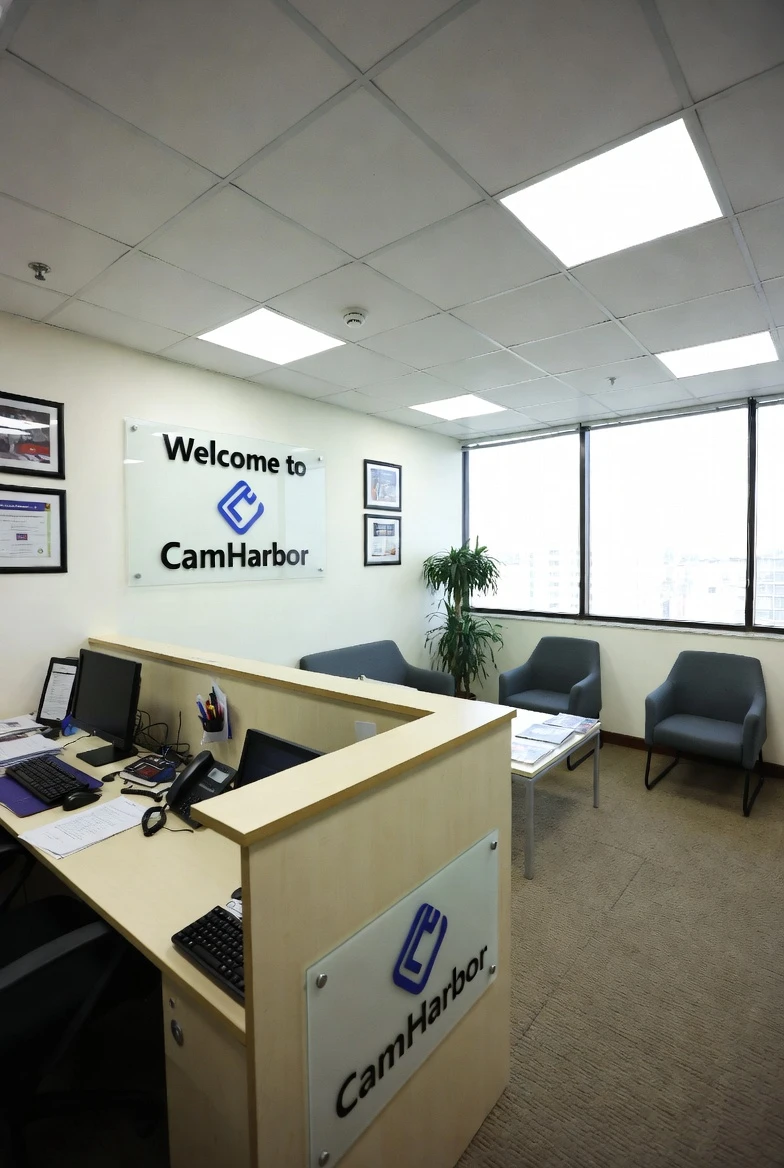
Local Office
Office 402, 4th Floor, Hemkunt Tower, Nehru Place, New Delhi 110019
👨‍🔧
Expert Team
25+ Certified Technicians
Fast Response
Avg 3hr On-Site Time
✅ Local Warehouse Available: Faster Replacements & Stock Availability

Technical Capabilities Of This CCTV Solution

Supported Technologies

Wi‑Fi 6LTE/5GMIMOMesh NetworkingEdge AI

System Limits

  • Max cameras: 64
  • Max resolution: 4K Ultra HD (8MP)
  • Storage: Up to 16TB with RAID support

Recording Modes

Continuous 24/7Motion DetectionScheduled RecordingEvent-Based

Compression Formats

H.265+H.264MJPEG

Remote Viewing

P2P CloudDDNSStatic IPVPN

Mobile apps supported: Hik-Connect, DMSS, iVMS-4500

Backup Options

  • USB Export
  • Cloud Backup
  • FTP Server
  • NAS

Warranty Details

  • Camera warranty: 24 months
  • DVR/NVR warranty: 36 months
  • HDD warranty: 12 months
  • Installation warranty: 12 months
  • Extended warranty: Available

Featured Hardware We Install

Hikvision

Hikvision 4K Dome Camera

DS-2CD2183G2-I
Resolution: 8MP 4KNight vision: 40m IRWeatherproof: IP67
Dahua

Dahua 2MP Bullet Camera

IPC-HFW2249S-S-IL
Resolution: 2MPType: Smart Dual LightNight vision: 60m
CP Plus

CP Plus 16CH NVR

CP-UNR-4K1632R2-V3
Channels: 16Resolution: 4KStorage: Up to 16TB

See Our Work And Office In New Delhi, Delhi

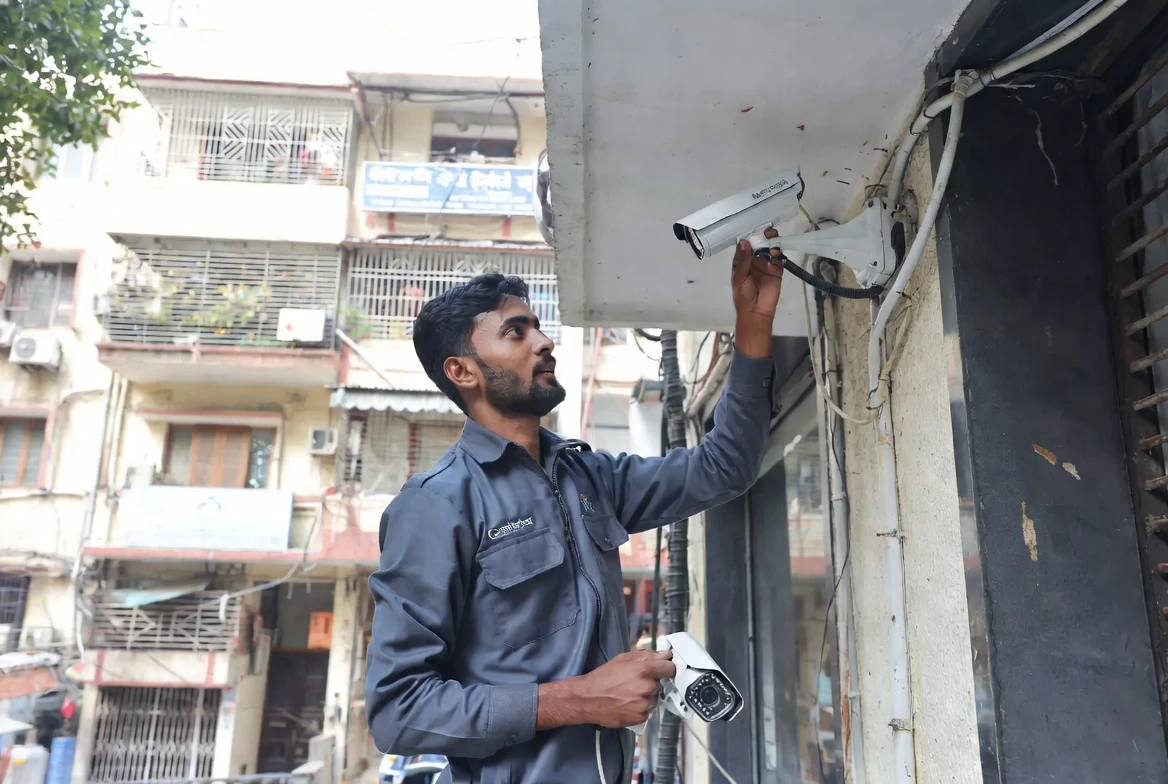
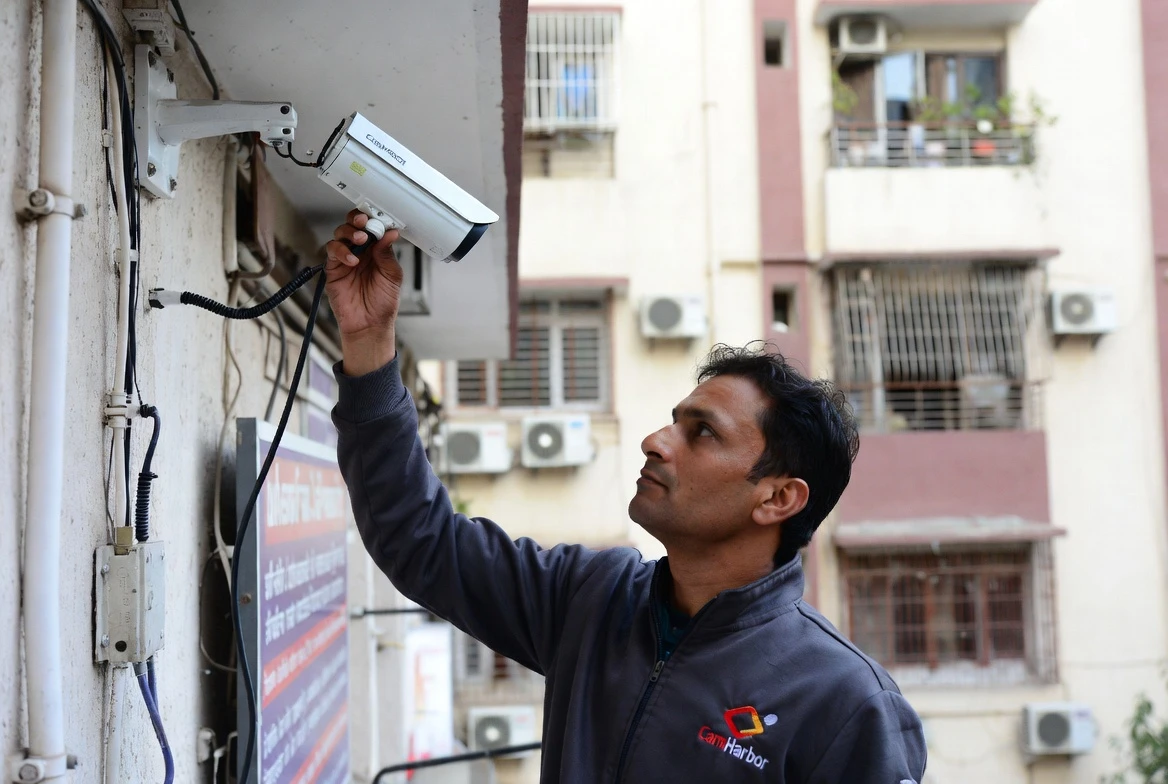
Work in Delhi 1
Work in Delhi 2
Work in Delhi 3

Numbers Behind Security In New Delhi, Delhi

Service Performance

  • Completed installations: 850
  • Active systems under maintenance: 520
  • Average response time: 2 hours
  • Customer retention rate: 94%
  • Average project value: ₹30,000

New Delhi, Delhi CCTV Rollout

  • Total installations: 5500
  • Installations this year: 1400
  • Installations this month: 120
  • Localities covered: 250
  • Pincodes served: 95

Demographics Snapshot

  • Total households: 65,00,000
  • Literacy rate: 86%
  • Working population: 60%
  • Average household income: ₹9,50,000
Languages: Hindi, English, Punjabi, Urdu
Communities: Punjabi, Baniya, Purvanchali

CCTV Market In New Delhi, Delhi

  • Market size: Very Large
  • Growth rate: 18%
  • Demand trend: High
  • Competition: Very High

Customer Profile

Primary segments
Retail ShowroomsResidential Builder FloorsGovernment Offices
Decision factors
PriceWarrantyInstallation Speed
  • Avg residential budget: ₹18,000
  • Avg commercial budget: ₹85,000

Service Configuration In New Delhi, Delhi

  • Pricing tier: Competitive
  • Price multiplier: 1×
  • Minimum order value: ₹4,000
  • Free survey: Available
  • Same-day service: Available
  • AMC popularity: High

AMC And Care Plans

Basic AMC

3,500 / year
Visits per year: 2
  • Camera cleaning & inspection
  • Basic troubleshooting
  • Software update check
  • Phone support

Standard AMC

7,000 / year
Visits per year: 4
  • All Basic features
  • Priority on-site support
  • Minor parts replacement
  • Quarterly health check report
  • Remote diagnostics

Premium AMC

14,000 / year
Visits per year: 12
  • All Standard features
  • 24/7 emergency support
  • Free major parts replacement
  • Monthly preventive maintenance
  • Dedicated account manager
  • Insurance assistance

Common Issues And Quick Fixes

Wi‑Fi Connectivity: Camera not connecting to Wi‑Fi network
  • Verify that the SSID and password entered in the camera match the router’s settings.
  • Ensure the camera is within the effective range of the router; avoid thick walls or metal obstructions.
  • Disable MAC address filtering on the router or add the camera’s MAC address to the allowed list.
  • Switch the router to a less congested channel (e.g., 6 GHz band if supported).
  • Restart both the router and the camera to re‑establish the connection.
Camera Range / Signal: Live feed drops intermittently
  • Check for line‑of‑sight issues; reposition the camera to clear obstructions.
  • Identify interference from other wireless devices (microwave ovens, cordless phones) and move the camera or router if needed.
  • Add a Wi‑Fi extender or mesh node to improve coverage in the camera’s location.
  • Update the camera firmware to the latest version for better signal handling.
  • If the problem persists, consider relocating the camera to a closer Wi‑Fi source or using a wired backhaul.
Remote Access / App: Unable to view live feed on mobile app
  • Confirm that both the mobile app and the camera firmware are updated to the latest releases.
  • Check that the mobile device has a stable internet connection (minimum 1 Mbps for HD feeds).
  • Verify port‑forwarding or VPN settings if the camera is behind a router; ensure the correct external port is open.
  • Remove and re‑add the device in the app using the QR code or manual IP entry.
  • Clear the app cache or reinstall the app if the issue persists.
Power / Battery: Camera loses power after a few days
  • Inspect the power adapter for correct voltage (usually 12 V/2 A) and current rating.
  • Replace or upgrade the battery if it is rechargeable and showing low capacity.
  • Use an uninterruptible power supply (UPS) or backup battery pack to keep the camera running during outages.
  • Turn off power‑hungry features such as continuous night‑vision when not required.
  • Schedule the camera to enter sleep mode during non‑peak hours to conserve energy.
Firmware / Updates: Camera firmware stuck on an outdated version
  • Download the latest firmware from the manufacturer’s official website.
  • Enable OTA (over‑the‑air) updates in the camera’s settings and restart the camera to apply the update.
  • If OTA fails, copy the firmware file to a USB drive and perform a manual firmware update via the camera’s web interface.
  • Perform a factory reset if the firmware update process becomes corrupted, then reinstall the new firmware.
  • Contact CamHarbor support for assistance if the update still fails.
Night Vision: Poor or no night vision
  • Clean the camera lens dome with a soft microfiber cloth to remove dirt or smudges.
  • Verify that the IR cut filter toggles automatically at dusk/dawn; if not, adjust the schedule in settings.
  • Check the IR LED strip for any visible damage or burnt-out LEDs.
  • Angle the camera to avoid IR reflection from bright surfaces (walls, windows).
  • Replace the camera if the IR LEDs are physically damaged or the night‑vision module is defective.

Other Security Services in New Delhi, Delhi

📹

CCTV Installation

Security Solutions

View Service →

DVR Installation

CCTV

View Service →

Smart Lock Installation

Smart Locks

View Service →

Residential CCTV Installation

CCTV

View Service →

Commercial CCTV Installation

CCTV

View Service →

Industrial CCTV Installation

CCTV

View Service →

Coverage, Compliance And Trust

Service Coverage

Primary areas
DelhiGurgaonNoidaGreater NoidaGhaziabadFaridabad
Service zones
Zone A – Express Delhi (express)Zone B – Standard NCR (standard)
Operational hubs
  • Main Hub – Central Delhi (Main)Connaught Place, New Delhi 110001
  • Noida Hub Sector 18, Noida 201301

CCTV Legal And Compliance

  • Information Technology Act, 2000
  • Personal Data Protection Bill (Draft) 2023
  • Indian Evidence Act, 1872 – Section 65B
  • Cable Television Networks (Regulation) Act, 1995
Permissions often needed: Local police station intimation (recommended for commercial installations), Resident Welfare Association / Building NOC, Owner consent documentation for rental properties, Municipal corporation permit for public area installations
Data retention: Video footage is typically retained for 30-90 days as per customer policy. Legal minimum retention for commercial properties may vary by state jurisdiction.

Why Businesses Trust CamHarbor

Over 10 years specializing in Wireless Security System across Delhi NCR with 850+ successful projects for residential, commercial, and industrial clients.

ISO 9001:2015 certified company. All technicians hold factory certifications from Hikvision, Dahua, and CP Plus.

850+ Installations CompletedBackground-Verified Technicians4.9/5 Average Customer RatingISO 9001:2015 CertifiedMSME Government RegisteredAuthorized Partner of Hikvision, Dahua, CP PlusSame-Day Service Available5-Year Track Record in Delhi NCR

Local Presence And Compliance In New Delhi, Delhi

Opening hours
  • Mo-Sa 09:00-19:00
  • Su 10:00-17:00
WhatsApp: +919876543210
GST applicable: Yes

Get Free Wireless Security System Installation Survey in New Delhi, Delhi

Our New Delhi, Delhi team will visit your location, assess security gaps, and give you an honest recommendation — free, no obligation.
📞 +91-9876543210
💬 WhatsApp Available
📍 Office 402, 4th Floor, Hemkunt Tower, Nehru Place, New Delhi 110019